The modern work environment increasingly relies on technology to enhance communication and productivity. In this context, team collaboration applications have become indispensable tools for organizations striving to manage tasks and foster effective teamwork. If you are considering venturing into team collaboration application development, understanding the process of creating a robust and efficient app is crucial. This article will provide a comprehensive guide on how to create a team collaboration app, covering every critical aspect from initial ideation to deployment.
The Importance of Team Collaboration Apps
Team collaboration apps have revolutionized the way teams interact, not only by facilitating seamless communication but also by integrating various tools to streamline workflows. When developing a team collaboration app, it is essential to recognize its potential to enhance productivity and ensure that all members are aligned towards common goals.
Benefits of Effective Team Collaboration
Effective collaboration apps promote transparency, accountability, and efficiency by centralizing communication and project management. They can bridge geographical distances, allowing remote teams to collaborate as effectively as in-person teams. Understanding the significance of these apps is foundational to developing a successful solution.
Essential Features for Team Collaboration App Development
Developing a team collaboration app requires a clear vision of the features that will most benefit your users. Prioritizing essential functionalities will greatly impact the success of your app in a competitive market.
Core Features to Consider
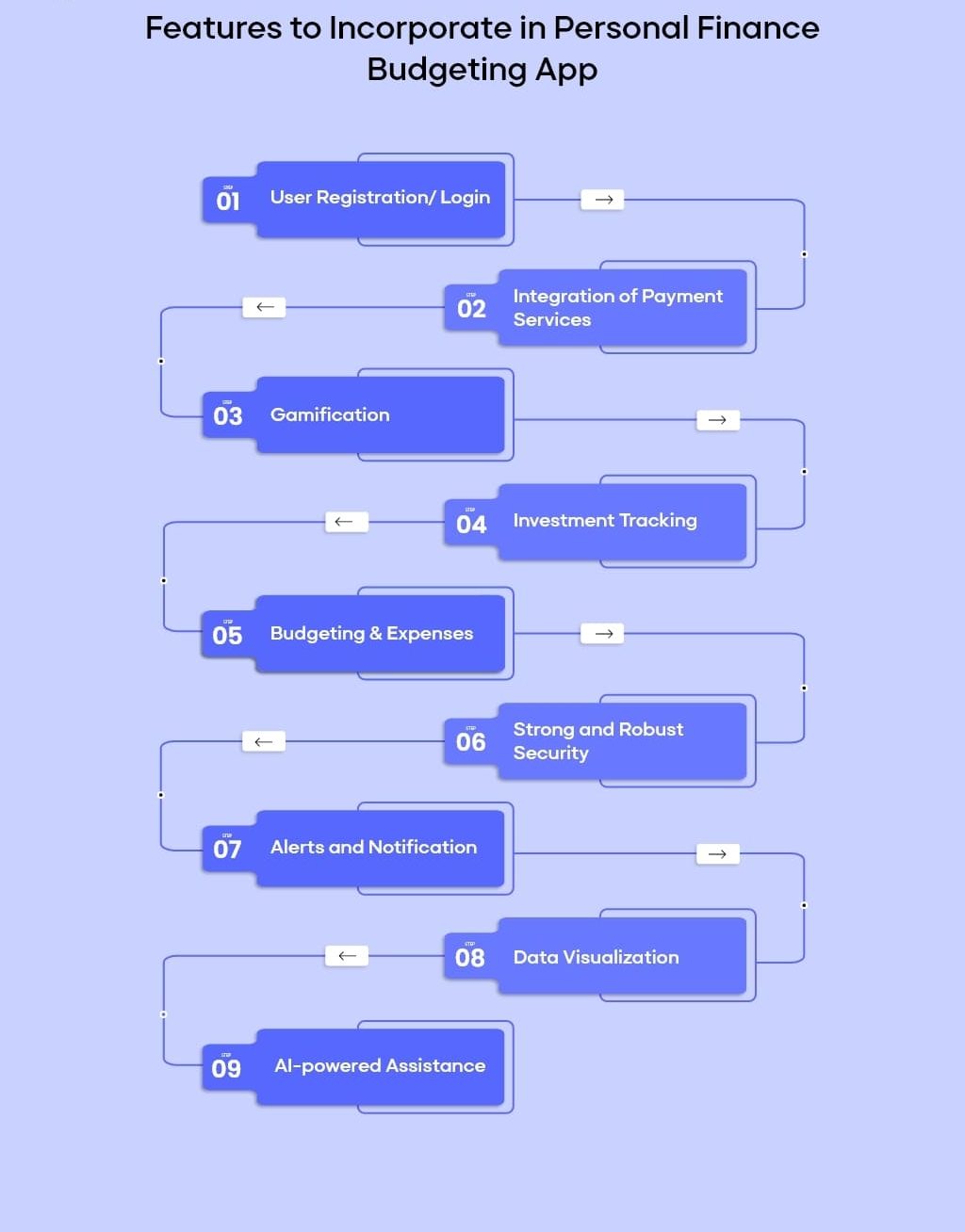
The key to successful team collaboration app development is incorporating features that enhance team dynamics and workflow management. These include real-time messaging, video conferencing, task management, file sharing, and a shared calendar. Each feature should be user-friendly and intuitive, reducing the learning curve for users.
Advanced Features for Competitive Edge
To stand out, consider integrating advanced features such as AI-powered task suggestions, integration with third-party tools like calendars and email, and robust security protocols. Advanced analytical tools can provide insights into team productivity, enhancing the decision-making process.
Developing a Team Collaboration App: Step-by-Step Guide
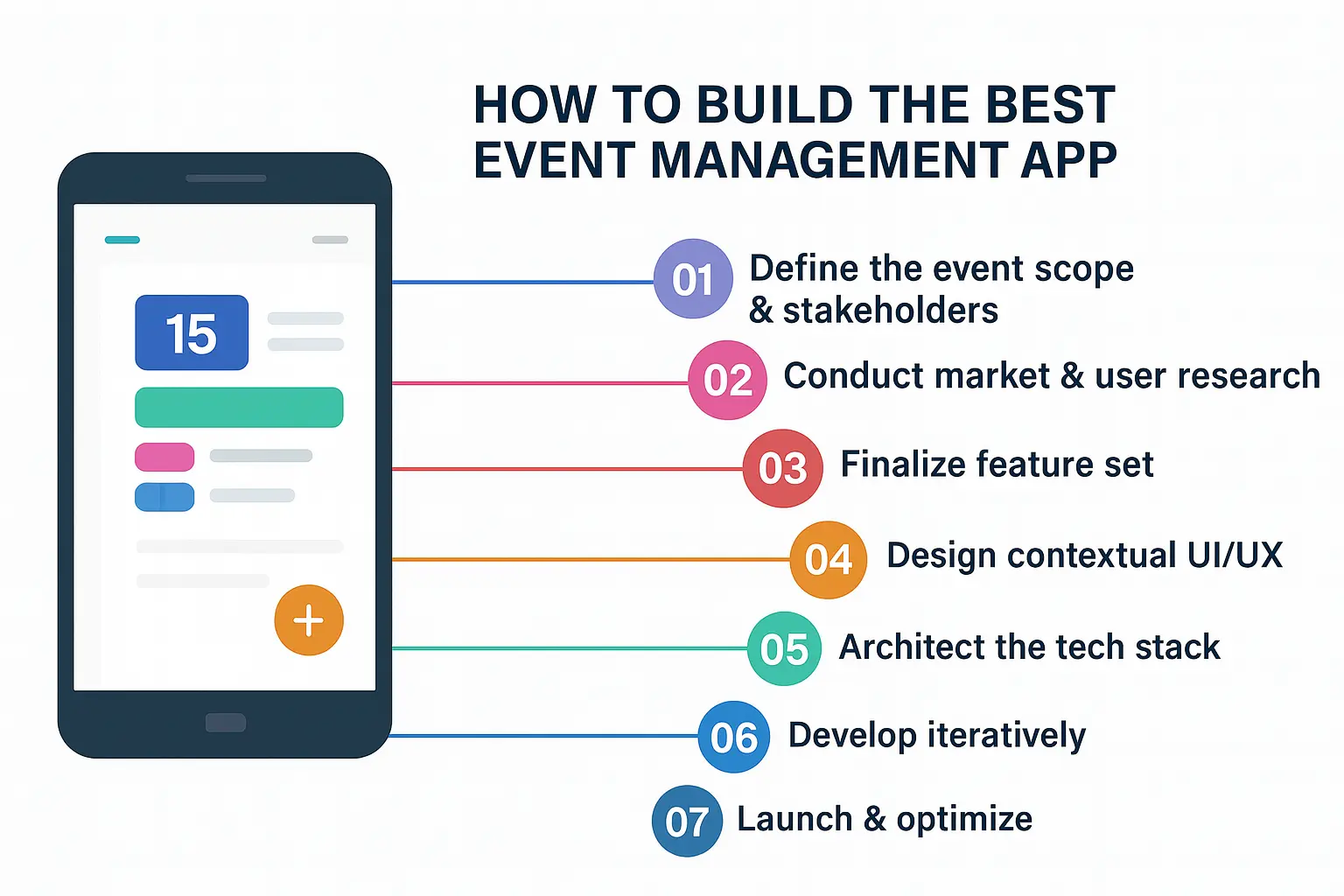
A systematic approach is crucial in creating a team collaboration app. Understanding the development lifecycle, from conceptualization through to deployment and ongoing support, will ensure a smooth process.
Ideation and Market Research
Start by conducting thorough market research to identify gaps and opportunities in existing solutions. Analyze user needs and trends to refine your concept. This stage involves defining the problem your app will solve and setting clear development goals.
Designing the User Experience (UX)
UX design is fundamental in how to make your own team collaboration app. Keep your target audience in mind to create an intuitive and seamless user interface. Prototyping and testing with real users can provide invaluable feedback, helping you refine the app’s usability.
Technology Stack Selection
Your choice of technology stack will affect the performance, scalability, and future-proofing of your app. Popular choices include React Native for mobile apps due to its cross-platform capabilities, and Node.js for the backend owing to its efficiency and scalability.
Writing a table below to present a comparison of popular technology stacks:
| Technology Stack | Description | Use Case |
| React Native | A framework for building native apps using React | Mobile apps needing cross-platform support |
| Node.js | A JavaScript runtime for building fast network apps | Real-time features like chat |
| Firebase | A platform developed by Google for building mobile applications | Backend as a service, real-time database |
| AWS Lambda | A serverless computing service | Scalable backend functions |
Development Process
Actual development is where you build team collaboration app features while closely adhering to agile methodologies. Agile development not only facilitates iterative progress but also allows for regular feedback incorporation, ensuring that the product continually aligns with user expectations.
Testing and Quality Assurance
Comprehensive testing is essential in team collaboration software development. Various testing methodologies, including unit testing, integration testing, and user acceptance testing, ensure that all components function harmoniously and meet high-quality standards. Launching bug-free and reliable applications significantly boosts user trust and retention.
Deployment and Launch Strategy
A successful launch strategy is crucial in how to start a team collaboration app. Utilize various marketing channels to build anticipation and ensure a smooth deployment process with minimal downtime. Post-launch, be prepared to handle feedback and issues swiftly to build a positive user experience.
Long-Term Maintenance and Improvement
Building a team collaboration app doesn’t end with the launch. Continuous improvement, driven by user feedback and technological advances, ensures that your app remains relevant and competitive.
Continuous Integration and Deployment (CI/CD)
Implementing CI/CD pipelines in team collaboration app development enables regular updates without significant downtime, ensuring your app evolves in response to user needs and technological advancements.
User Feedback and Iterative Development
Regularly solicit and analyze user feedback. Engage with your user community to identify features that enhance their experience, thus making your app more valuable over time.
Monetization Strategies for Team Collaboration Apps
Once you create a team collaboration app, determining a suitable monetization strategy is crucial to its financial sustainability. While ensuring user satisfaction, consider models that align with your business goals.
Freemium and Subscription Models
Freemium models allow users to experience basic functionalities while offering premium features at a cost. Alternatively, subscription models create ongoing revenue and often include regular updates and exclusive features for paid users.
In-App Purchases and Partnerships
Complementary monetization strategies include in-app purchases for specific functionalities or services and forming partnerships with organizations for exclusive features or customizations.
Challenges in Developing a Team Collaboration App
Any development endeavor comes with its set of challenges. Anticipating these in team collaboration mobile app development allows you to address them proactively, minimizing their impact on your project timeline and budget.
Security and Compliance
Ensuring data security and compliance with standards like GDPR and HIPAA is paramount to protect user information and maintain trust. Implementing end-to-end encryption and secure authentication mechanisms are vital steps in addressing these challenges.
Scalability and Performance
As your user base grows, so will the demand on your app’s resources. Designing an architecture that can scale efficiently ensures performance remains stable, even under high load.
User Adoption and Retention
Creating a team collaboration app must also focus on strategies for user acquisition and retention. Investing in user onboarding, educational tutorials, and a strong support system can facilitate smooth user transitions and encourage long-term loyalty.
Conclusion
Building a team collaboration app requires a deep understanding of both technical requirements and market demands. From ideation through to continuous improvement, every stage of development plays a crucial role in the app’s ultimate success. By ensuring a comprehensive approach to team collaboration application development, you can create a tool that not only meets but exceeds the expectations of modern teams. With thoughtful consideration of features, user experience, and monetization strategies, your app can become an indispensable part of the workflow for diverse organizations worldwide.