In today’s fast-paced digital age, productivity apps have become indispensable tools for individuals and businesses aiming to maximize efficiency and streamline tasks. For those contemplating productivity application development, understanding the nuances of app creation is crucial. This comprehensive guide will walk you through the steps involved in creating a productivity app, offering insights into design, development, and deployment.
Understanding the Basics of Productivity App Development
Before embarking on your journey, it’s imperative to grasp the fundamental aspects of productivity app development. Clarity in purpose and functionality is paramount, as these apps are designed to assist users in managing their time, tasks, and resources more effectively.
Productivity apps come in various forms, including task managers, calendars, note-taking apps, and communication enhancers. The goal is to simplify and enhance the productivity process for users. Whether you’re a novice or an experienced developer, a clear roadmap is essential in developing a productivity app that stands out in a saturated market.
Planning Your Productivity App
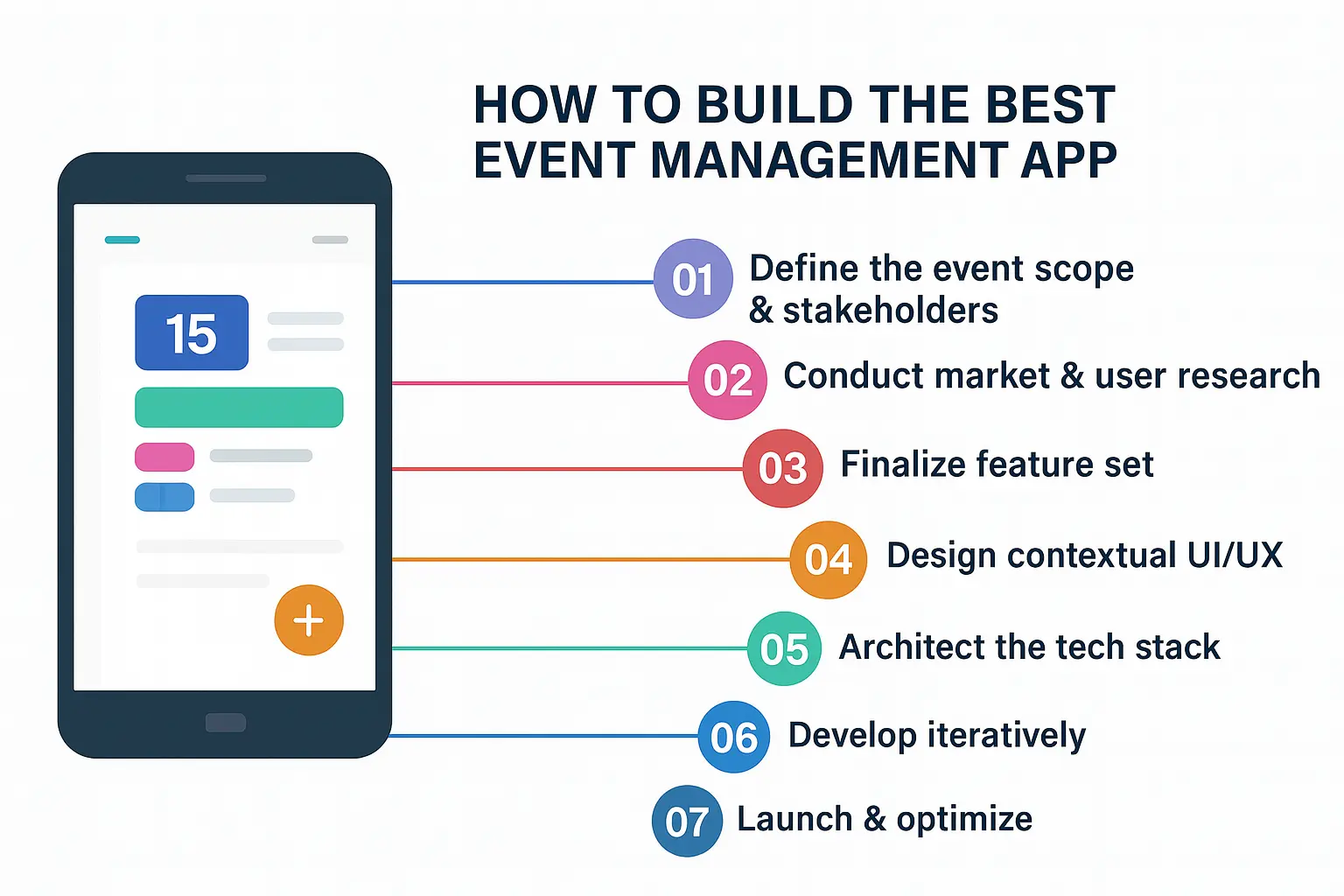
The planning phase is often the most critical stage in productivity app development. A well-researched plan saves time in the development process and ensures that the end product meets user needs. Define what makes your app unique — be it through innovative features, user-friendly design, or integration with other platforms.
Your plan should include a detailed market analysis, identifying key competitors and potential users. Understanding your target audience will help you make informed decisions about the essential features your app should have. Additionally, it’s crucial to decide whether you want to create a productivity app free for users or offer premium features.
Designing a User-Friendly Interface
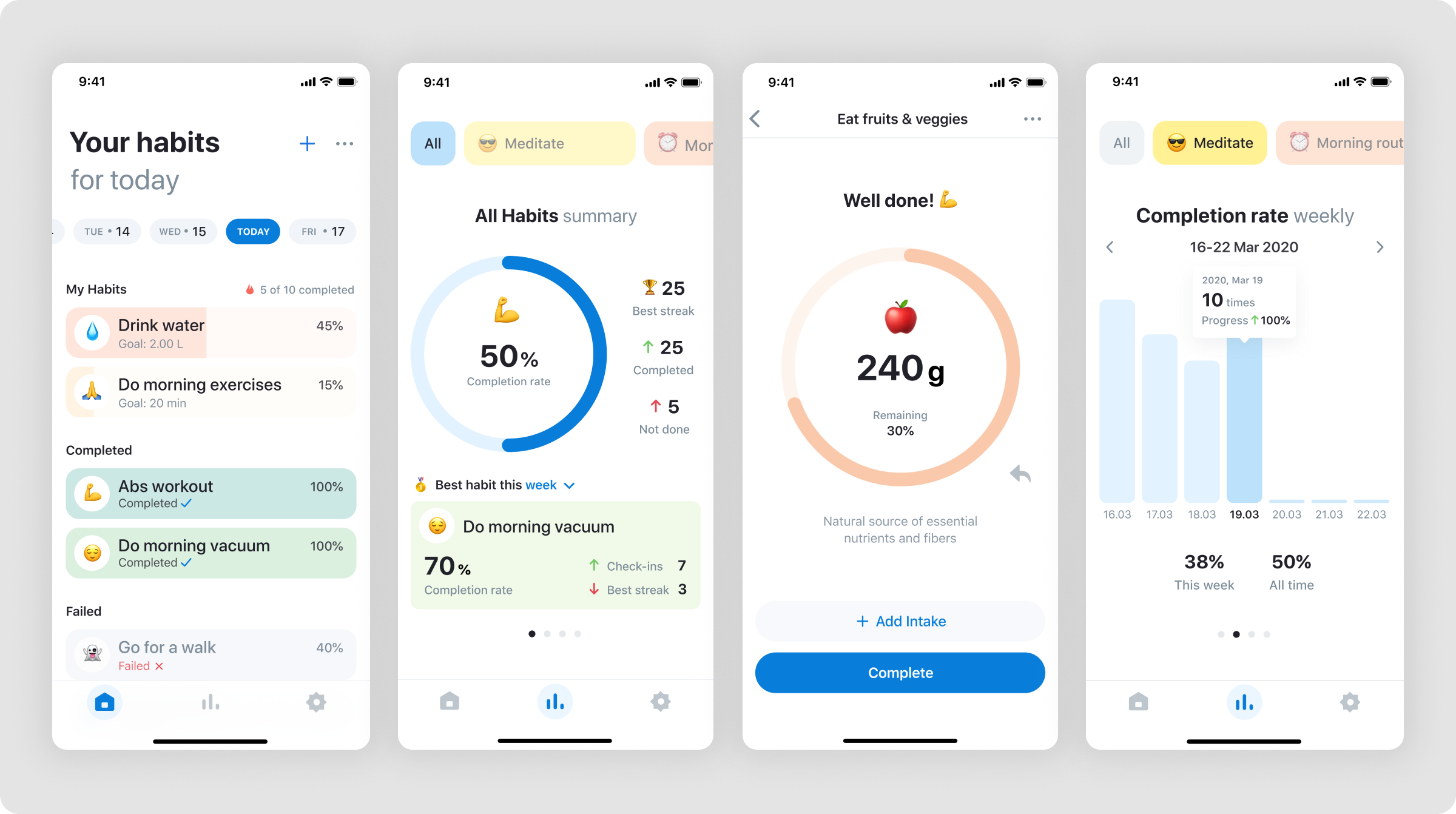
Creating a productivity app requires a design that is not only functional but also appealing to users. A clutter-free interface enhances the user experience, allowing them to navigate the app seamlessly. Focus on simplicity and intuitiveness during the design phase to make your app accessible to users of all technological backgrounds.
Considerate design in your productivity tracker app development can lead to increased user engagement. Elements such as color schemes, icons, and typography should align with the app’s purpose and brand identity. Prototyping and user testing during this phase can provide valuable feedback and prevent costly redesigns later in the development process.
Developing the Core Features
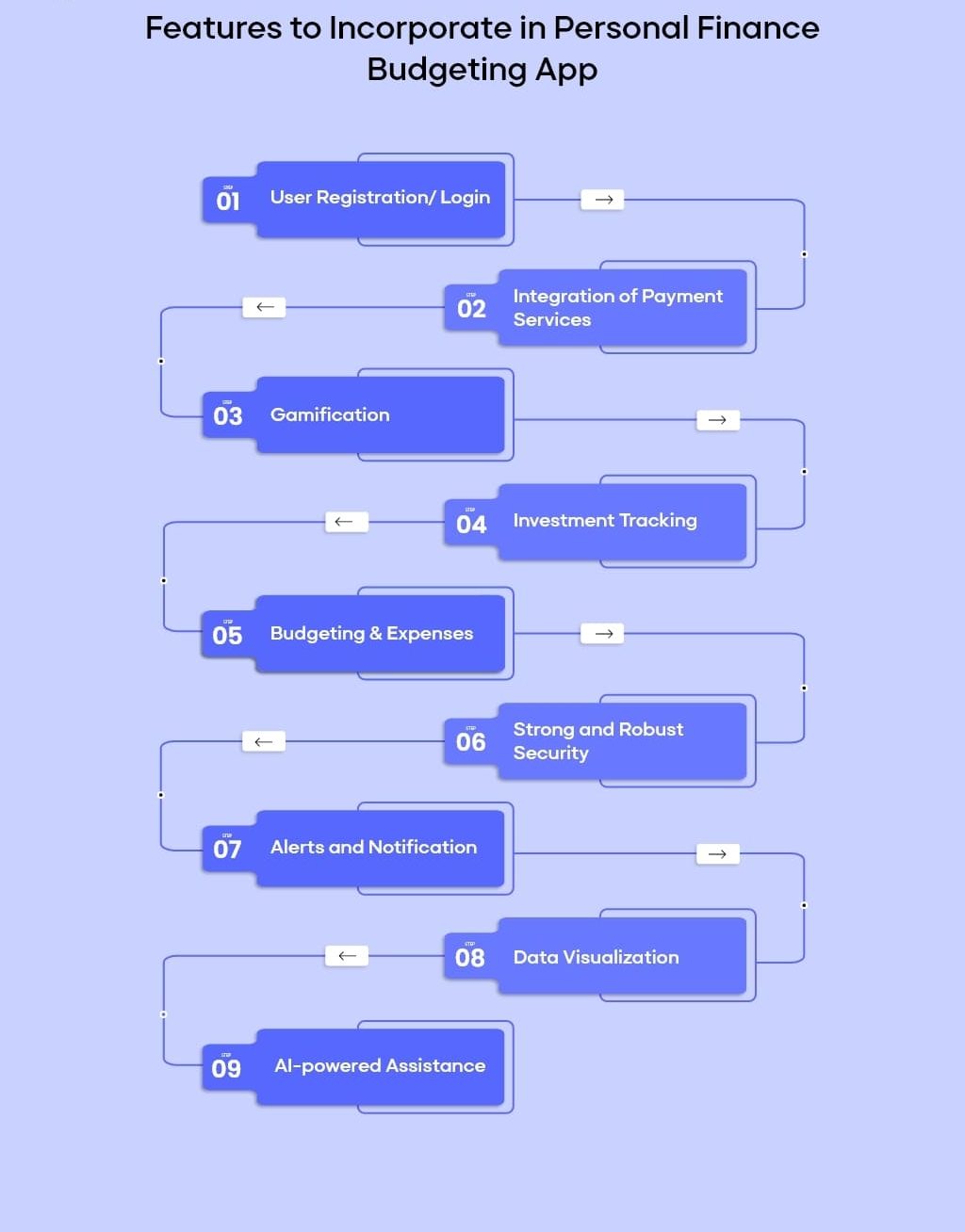
Once the design is in place, it’s time to dive into the core features of your app. Depending on the nature of your productivity app, these features will vary but generally include task management, scheduling, reminders, and integration capabilities with other apps and platforms.
As you develop a productivity app, focus on functionalities that will simplify the user’s workflow. For instance, a powerful search feature or the ability to sync across multiple devices can significantly enhance the app’s utility. Developing a productivity app also involves ensuring that it is lightweight and does not drain resources such as battery life and data usage unnecessarily.
Choosing the Right Technology Stack
The choice of a technology stack plays a crucial role in how to build a productivity app effectively. Factors to consider include the platform you intend to target — whether iOS, Android, or both — and the programming languages that align with your project goals.
For mobile productivity app development, languages such as Swift or Objective-C for iOS, and Kotlin or Java for Android, are popular choices. Moreover, cross-platform development frameworks like React Native or Flutter can be considered if you aim to develop apps for multiple platforms simultaneously.
Incorporating Advanced Features
To stand out in the crowded market, incorporating advanced features into your productivity app can add significant value. These might include artificial intelligence for predictive text and task recommendations, voice commands, and data analytics for user insights.
Advanced features could also include integration with other productivity tools, such as Google Calendar or task management systems like Trello or Asana. These integrations can provide a seamless experience for users who rely on a multitude of apps for their daily tasks, thus enhancing your app’s utility.
Testing and Launching Your App
The testing phase is an integral part of how to start a productivity app successfully. Rigorous testing ensures that the app functions smoothly and is free of critical bugs that could deter users. Employ both alpha and beta testing phases to gather comprehensive feedback from real-world users.
Upon passing the testing phase, prepare for the app launch. This includes setting up a robust marketing strategy to attract your target audience. Optimize the app store listing with captivating descriptions and screenshots, and leverage social media platforms to increase visibility.
Post-Launch Support and Updates
Your journey doesn’t end with the app’s launch. Continuous support and updates are essential for maintaining user satisfaction and app functionality. Listen to feedback, fix issues promptly, and introduce new features periodically to keep the app relevant and engaging.
Post-launch, analyze user data to understand which features are most popular and which need improvement. This ongoing process is key to building a productivity tracker app that evolves with user needs and technological advancements.
Monetizing Your Productivity App
Monetization is a crucial aspect of building a productivity app. Consider different strategies such as freemium models, in-app purchases, subscriptions, or ads. Balancing monetization with user satisfaction is vital to ensure widespread app adoption and retention.
When deciding on how to make your own productivity app, explore various monetization models to see what aligns best with your business objectives and user expectations. Offer value through premium features or an ad-free experience to incentivize users to invest in your app.
Table: Popular Technology Stacks for Productivity App Development
| Technology Stack | Description | Best For |
| Swift/Objective-C | Native iOS app development languages offering robust development tools. | iOS productivity app development |
| Kotlin/Java | Industry standards for Android app development with vast community support. | Android productivity app development |
| React Native | Cross-platform framework using JavaScript to create apps for iOS and Android. | Multi-platform development |
| Flutter | Google’s UI toolkit for building natively compiled applications. | High-performance UI development |
Creating your own productivity app requires patience, expertise, and a clear vision of your end goals. By following the detailed guide outlined above, you will be well-equipped to develop a productivity app that not only serves user needs but also withstands the competitive nature of the app industry. Whether you choose to build a productivity tracker app or a multifunctional productivity suite, the right blend of technology and innovation will position your app for success in a burgeoning market.